
 EN
EN
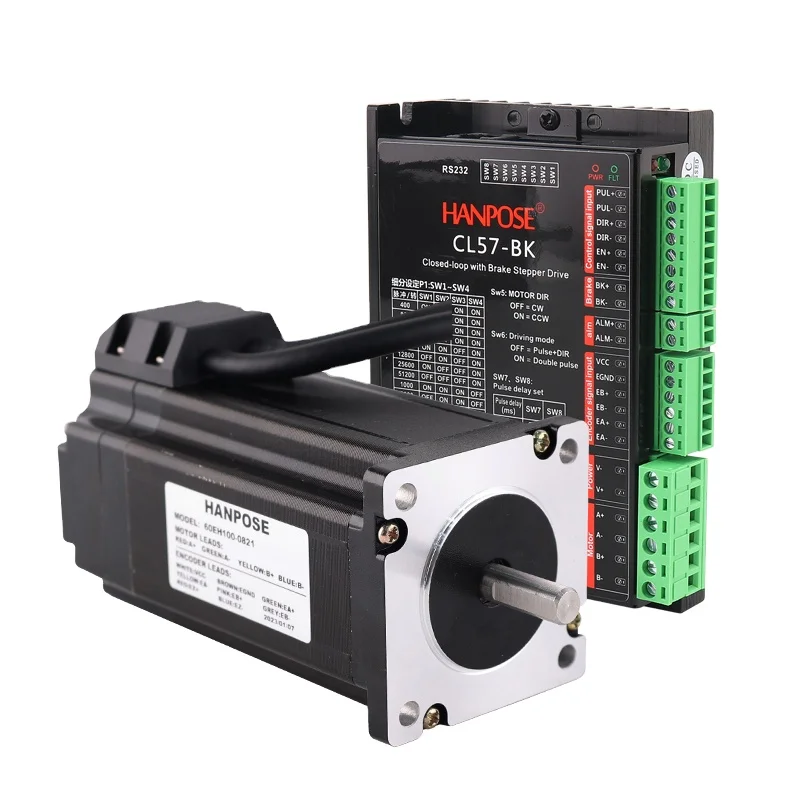
3D printing can be lots of fun, but sometimes thing don't go as planned. One usual problem is layer shifting. This occur when the layers of your print not line up right, making the object look messy or spoiled. Layer shifting can be very annoying, specially if you spend hours on a project. But no worry! With some tips and tricks, you can fix it and stop it from happen again. Here at HANPOSE, we want you to have the best time with your 3D printer. So, let's look at how to fix layer shifting and keep prints looking nice.
How to Stop Layer Shifting for Wholesale 3D Printing Wins
Stopping layer shifting begin with knowing what cause it. One main reason is the printer's belts may be loose. If belts aren't tight enough, they can slip while printing, causing layers to shift. To fix, you can check belt tension and tighten if needed. Another cause are the printer's stepper motors overheating. If they get too hot, they might skip steps, leading to shifts. You can help by ensuring good air flow and cooling. In addition, make sure print bed is level. If bed uneven, nozzle may hit at different heights, causing shifts. Before print starts, always check alignment. And don't forget software settings! Wrong settings can lead to issues. Ensure slicing software set right for your printer. You might need to update software or adjust for the material. Lastly, watch print speed. Too fast speed can cause shifts, specially on big prints. Slow it down a bit can help keep things straight. With this, you set up for wholesale 3D printer stepper motor wins with nice, aligned prints.
Where to Get Fixes for Layer Shifting Issues
If you face layer shifting, don’t panic! There many ways to find solutions. One best place to start is online forums and groups for 3D printing. Sites like Reddit or special 3D forums can be full of info. You can ask questions and share problems, and usually experienced folks will give advice from their own tries. YouTube is great too. Many creators make videos on fixing common 3D problems. Watching them fix a shift can give easy tips. Also, check your printer maker's site for guides and troubleshooting. They come with manuals on how to adjust some settings or solve problems like layer shifting. However, social media can also be of assistance! There are Facebook groups for 3D printing where you can get in touch with others who might have had the same problems. You can also share your problems, ask for advice and find local meetups. If you have a local maker space, you should visit it! They often have all the tools as well as people who can help you hands-on. Try these things out and you will notice a big improvement in fixing your shifts and improving your 3D prints with HANPOSE.
Usual Layer Shifting Problems and Fixes
In 3D printing, layer shifting occur when layers do not line up properly. This makes print appear wavy or fail. One of the common causes is excessively loose belts on printers. These belts are used to move the print head and bed. Otherwise, printer can jump through steps, resulting in shifted layers. You can fix by checking belt tension. Adjust, when loose, per manual.
Another problem are stepper motors. These regulate movement of the printers. When not functioning properly, they may not move head correctly, which results in shifts. Test power supply of motors. Occasionally, software configurations are set incorrectly and, therefore, verify them as well.
The location of printer is also important. When on wobbly table, it may move during print. Place printer on a flat, stable surface. When surface shakes on being touched, print may not be good.
Lastly, print speed affect shifting. If too fast, printer can't keep up, leading to problems. Attempt reduced speed in settings. Reduced speed allows sufficient time to make accurate movements and avoids layer movement. Checking these issues and adjusting makes it possible to fix shifting and get better prints!
Where to Buy Good 3D Printing Stuff to Cut Layer Shifting
Ensuring good 3D printing materials are used that matter to minimize layer shifting. Printer make layers are more adhesive with good stuff. This is assistance to prevent changes. You get them everywhere, but you select the right ones. Our company, HANPOSE, is Good start. We sell very many different kinds of filaments, which are compatible with printers.
Consider pick materials when selecting; find materials that are suitable to your printer type. As an example, to use printer best with PLA, purchase PLA filament. PLA has high quality that is melt to layers that remain in place. Other types are available such as ABS or PETG. Both are good, choose the one to your project.
The other concept is to purchase by reputed vendors. Looking up online and finding reviews. Good products are normally found in reliable sources. We are HANPOSE, our quality is our strength and we promise our customers the best materials.
You may also go to local shops to get 3D supplies. Physical viewings aid in decision making. Inquire with employees, they provide guidance to optimal decisions. Keep in mind that good materials bring big change to prints and ensure that layers do not change their positions.
What Upkeep Tips Stop Layer Shifting in 3D Printer?
Frequent maintenance necessary to maintain 3D printer in good condition and eliminate layer shifting. First of all, wash printer frequently. On head and bed, dust and dirt accumulate, impairing work. Use soft cloth to wipe, and clear nozzle. Blocked nozzle results in an uneven flow thereby causing print issues.
Belts and pulleys should be checked as well. These lose or wear off with time. Tie belts effortlessly and do so frequently. If wear show, replace them. This measure prevents smoothness of printers.
Another important tip is to lubricate moving parts. Apply lubricant to the right on axes and rails. This diminish friction and allow movement to occur freely. When stiff, printers are difficult to move, leading to movements.
Finally, regularly update firmware. Updates are issued by Makers to enhance and eliminate bugs. Updating to keep up with the times improves printer work and reduces problems such as shifting.
Take these upkeep steps help you have smooth printing. Even the slightest attention helps to maintain printer shape. You slice probabilities of shifting and get superb 3D prints each time with regular check!